
Invoices and receipts
Which document is issued for every charge, when it is issued, how it reaches you, where past documents live in the dashboard, and what to do when the details on one are wrong.
- Who
- Owners, admins, and anyone who does your bookkeeping
- Plan
- All paid plans
- Role
- Any role can read the invoice list; only owners and admins can change billing details
Before you start
- At least one completed payment
Every payment that goes through produces two things: a row in the Invoices table on the Billing & plan page, and — for an Israeli account — a real fiscal document issued in our accountant’s system. The row is our record of what we billed. The document is the one your bookkeeper needs.
The two records
| Record | What it is | Where you see it |
|---|---|---|
| Invoice row | OMAI’s billing record: date, amount, currency, status, the period it paid for, and the line breakdown. | The Invoices table on the billing page. |
| חשבונית מס/קבלה (tax invoice/receipt) | The legal document for a payment, issued in a numbered series by our accountant’s system, with the net amount and the VAT stated separately. | Emailed to your invoice address, and behind the View link on the matching invoice row. |
| תעודת זיכוי (credit note) | The legal document for a refund. It describes the amount actually returned, which for a partial refund is not the invoice total. | Emailed to your invoice address when a refund is completed. |
When each document is issued
- Your first payment for a plan — issued as soon as the payment provider confirms the charge, usually within seconds.
- Every monthly renewal — issued when that month’s charge succeeds.
- A dedicated phone number you bought — its first month is charged separately, and later months appear as an extra line on the plan’s renewal.
- A refund — a credit note is issued once the payment provider confirms the money went back. See Refunds.
A charge that did not succeed produces nothing: no invoice row and no document. If a renewal was declined and retried, only the successful attempt appears.
Finding past documents
Step 1 Open Billing from the dashboard menu and scroll to Invoices.
You should see: The table lists your payments newest first, with Date, Amount and Status. Before your first payment it reads No invoices yet.
Step 2 Read the line breakdown printed under a renewal row.
- A first purchase is recorded as a single amount with no breakdown underneath it.
- Current Israeli prices are set before VAT, so the breakdown shows a VAT 18% line as well. A subscription still on an older, VAT-inclusive price carries no separate VAT line in the breakdown.
You should see: It names the plan and each dedicated number billed with it. The figures are frozen at the moment the charge was raised, so a later price change never rewrites an old row.
Step 3 Press View at the end of a row to open the fiscal document.
- The link appears only once a document with a file exists for that payment. If it is missing, the document is still on its way or was emailed only — write to us and we will send it.
You should see: The document opens in a new tab.
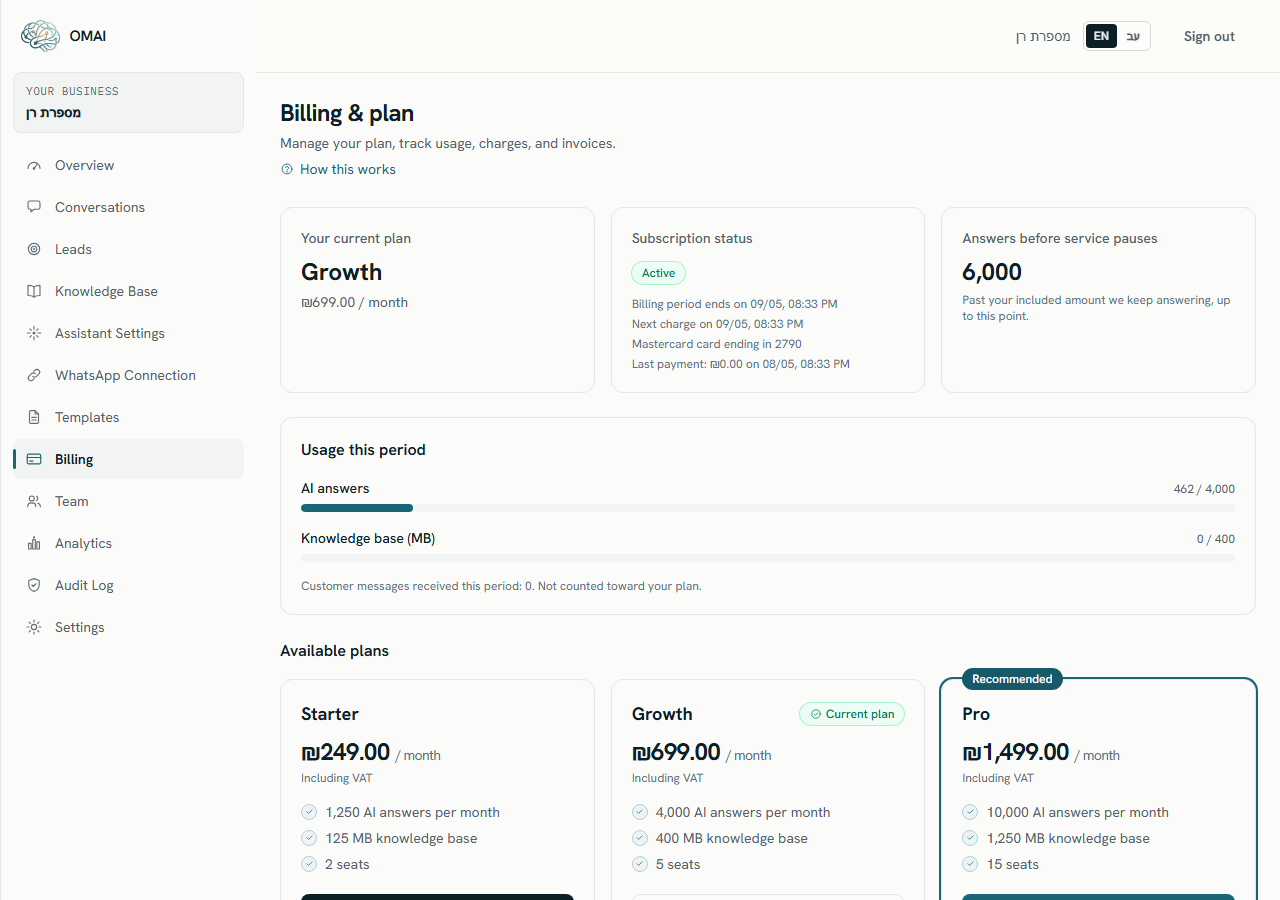
The table shows the 50 most recent payments. If you need something older than that, write to us with the month you are looking for.
What the status column means
| Status | Meaning |
|---|---|
| Paid | The money was taken and the period it covers is paid for. Every successful charge is recorded this way. |
| refunded | The whole amount was returned. A credit note was issued for it. |
| partially_refunded | Part of the amount was returned; the rest stands. |
The two refund statuses currently show in English in the Hebrew interface as well. The billing page also carries badge labels for other states — Open, Draft, Void, Uncollectible, Past due and Failed — which the current billing flow does not produce.
How documents reach you
The address used is the one saved as Email for invoices (optional) during checkout. When that field is empty, no document email is sent to it and the billing emails go to the oldest owner’s address instead — so it is worth filling in, especially if your bookkeeper is not the account owner.
Up to two emails follow a successful payment:
- Your OMAI payment was received — our own confirmation. It states the amount, the plan and the date the subscription is paid through, and links to the billing page.
- The tax invoice/receipt itself, sent from the accounting system that issued it, to the invoice address on your account.
What is printed on the document
- Your business as the customer: the billing contact name you entered at checkout, or your organization name when no billing contact is saved, plus the phone and email on the account.
- One line describing the sale — an OMAI subscription, or a refund of one on a credit note.
- The amount actually charged, split into net and VAT. The two always add back to exactly the amount debited, because the split is derived from it rather than recalculated.
- The card’s last four digits as the payment reference, and the payment provider’s transaction identifier so the document can be matched to the clearing report.
- The document is written in your organization’s interface language.
When the details on a document are wrong
So there are two separate jobs: correcting the document you already have, and making sure the next one is right.
- For a document already issued — write to support@omai-software.com with the document number, the payment date and the details that should have appeared. We will correct it through the accountant.
- For future documents — the name, phone and email come from the billing contact saved with your subscription. An owner or admin can correct them by pressing Update payment method on the billing page and editing the fields on the confirmation screen: they are saved when the form is submitted, before the card step.
- If the amount itself is wrong, that is a billing question rather than a document one: see Refunds.
How long documents are kept
Invoices and the tax documents issued against them are business records and are kept for the statutory retention period. A request to delete your account does not remove them — What we keep and for how long explains which records survive a deletion request and why.
Can I get one invoice covering the whole year?
No. A document is issued per payment, so a yearly subscription paid monthly produces twelve of them. Each one states the period it covers.
Is VAT shown separately?
Yes, on the document. Israeli prices are shown before VAT at 18%, and the tax invoice/receipt states the net amount and the VAT amount separately, adding back to exactly the VAT-inclusive total you paid. The billing table shows the total charged.
Do Meta’s messaging fees appear on my OMAI invoice?
No. Meta bills its WhatsApp messaging fees directly to the account that owns your WhatsApp Business Account, and those charges never pass through OMAI.
My accountant needs the documents but should not see the dashboard. What do I do?
Put their address in the invoice email field so documents are mailed to them, and keep the dashboard sign-in to your team. Team roles are described in Roles and permissions.