
Contacting support
How to reach the OMAI team, when we are working, what to include so the first reply is an answer rather than a question, and what to expect once you have written.
- Who
- Anyone with an OMAI account, and anyone considering one
- Plan
- All plans
- Role
- None to write to us. Some actions we suggest need an Owner or Admin.
Before you start
- None
Support at OMAI is email. One mailbox handles everything — technical problems, billing, privacy requests, sales questions — and a person reads it. There is no phone queue, no chat widget in the product and no ticket portal to log into, which means there is also no ticket number to lose.
How to reach us
| Channel | Where | Best for |
|---|---|---|
| support@omai-software.com | Everything. Account, billing, privacy, technical problems, sales. | |
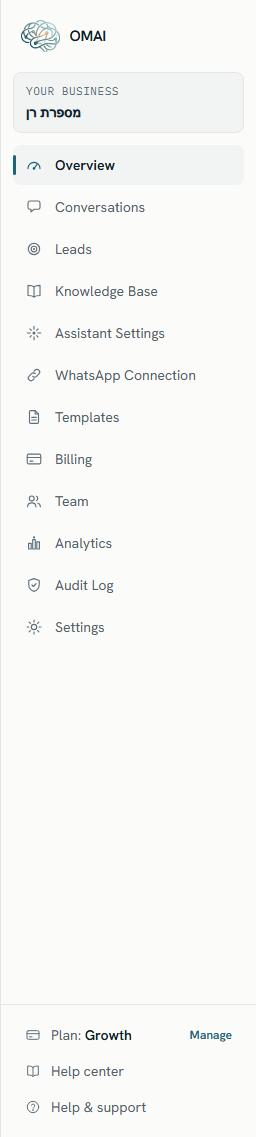
| The dashboard | Help & support, at the bottom of the left sidebar | The same mailbox, opened in your mail app with the address filled in. |
| The contact page | Contact | The address, the WhatsApp number, our hours and our company details on one page. |
+972534671406 | Sales questions and quick questions from existing customers. Put anything with detail in an email. |
Hours and response time
The published support week is Sun–Thu, 06:00–15:00 UTC. Email sent outside those hours is read at the start of the next working day; Friday and Saturday are not working days.
Our published aim is to respond to every request within 1–2 business days. That is an aim, not a guarantee, and it is not part of any agreement — the Terms of Service provide the service as it is, without a service-level commitment. In practice a clear message with the details below usually gets a substantive first reply rather than a request for more information, which is the single biggest thing that shortens the whole exchange.
What to include
Start every email with two things: the email address you sign in with, and your business name as it appears in OMAI. Those two identify the account. Then add whatever the table below asks for.
| Kind of problem | What to send |
|---|---|
| The assistant did not answer a customer | The customer’s phone number in full international form, the date and time you sent the test message and your timezone, and what the conversation shows in the inbox — is it paused, handed to a person, or nothing at all. |
| The assistant answered wrongly | The customer’s message and the reply, copied as text rather than described. Say what the right answer was, and where that information lives in your knowledge base — or that it is missing. |
| Connecting a WhatsApp number failed | The number in full international form, which path you were on (keeping the number on your phone, or a fresh setup), the exact wording of the error, and whether Meta’s window closed on its own. |
| A payment or invoice question | The invoice date and amount, the last four digits of the card if the question is about a charge, and a screenshot of what the billing page shows. Never send a full card number. |
| A charge you did not expect | The date and amount, plus what you believe should have happened. Refunds are made by us, not from a button in the product, so say plainly what you are asking for. |
| Sign-in or team access | The address that cannot get in, whether it is a password or a Google sign-in, what the screen says, and whether it started after a password change. |
| A privacy or data request | Whose data it concerns and what you want done. Deletion of a whole account has to come from an Owner. Export your data before asking us to delete anything. |
| A security concern | What you observed and how to reproduce it. Send it to us before telling anyone else, and do not test against another customer’s account. |
| Something the product cannot do yet | What you are trying to achieve, not the feature you imagine doing it. See Integrations, API and webhooks for what already does and does not exist. |
What happens next
Step 1 Send the email with the details above.
You should see: It lands in the monitored support mailbox. There is no automatic acknowledgement, so treat your sent copy as the record.
Step 2 Wait for the reply on the thread you started.
- If something we said points at a screen, the reply names the exact screen and control rather than describing it vaguely.
You should see: We answer on the same thread, so keep the history rather than starting a new email each time.
Step 3 Do the part only you can do.
- We will say clearly when we are waiting on you, and what exactly we are waiting for.
You should see: Some steps have to happen on your side: accepting updated Terms, running Embedded Signup again, approving something inside Meta, or an Owner submitting a deletion request.
What we can and cannot do
Support has a restricted operator role for looking into an account, and privileged actions taken through it are recorded in an audit log. Some things sit with us: reconciling a payment, issuing a refund, correcting an account state that got stuck. Some things sit outside us entirely.
- We cannot make Meta approve your number. Eligibility, verification and messaging limits are Meta’s decisions, taken in Meta’s systems. We can tell you what the error means and what usually clears it.
- We cannot recover a deleted account after processing has run. Ask about a deletion before submitting it, not after.
- We cannot write your knowledge base for you, although we will tell you which gap is producing a bad answer.
- We do not read your conversations as a matter of course. If answering your question needs someone to look at a specific conversation, we will ask you first and tell you which one.
You can see for yourself what has been done in your account: the audit log records privileged and administrative actions, and Who can see your data sets out the access model in full.
Before you write
Two minutes here often saves a day of waiting:
- Check the frequently asked questions — the shortest answers to the most common questions are all in one place.
- Search the help center from the box at the top of any documentation page.
- Read the troubleshooting section for anything that looks like a fault; it is written symptom-first and tells you what to send us if the fixes do not work.
- Look at the Billing & plan page before asking about a charge. The status badge and the invoice table usually contain the answer.
And if you have read all that and still are not sure — write anyway. A question we can answer in one line is not a waste of anyone’s time.